
Your digital footprint in 2026 is larger than you think. Every search, every purchase, every scroll leaves a trail that companies, advertisers, and increasingly sophisticated AI systems are eager to follow. The threats aren't theoretical anymore. AI-powered tracking can now predict your behavior from minimal data points. Quantum computing is on the horizon, threatening to break traditional encryption. And data brokers are more aggressive than ever at stitching together fragments of your identity from across the web. citeweb_search:7#2
But here's the thing: protecting your privacy doesn't require going off-grid. It requires knowing which layers matter, applying them in the right order, and building habits that keep your data under your control. This guide breaks it down into three tiers, starting with the quick wins that deliver the biggest impact for the least effort, then moving into the deeper defenses that separate casual users from genuinely protected ones.
Tier 1: The Quick Wins That Matter Most
These are the highest-impact, lowest-effort changes you can make. Do them today and you'll immediately reduce how much of your life gets tracked, sold, and profiled.
Turn Off Ad Personalization Everywhere
Both Apple and Google build detailed advertising profiles based on everything you do on your phone. The good news? You can opt out with a few taps.
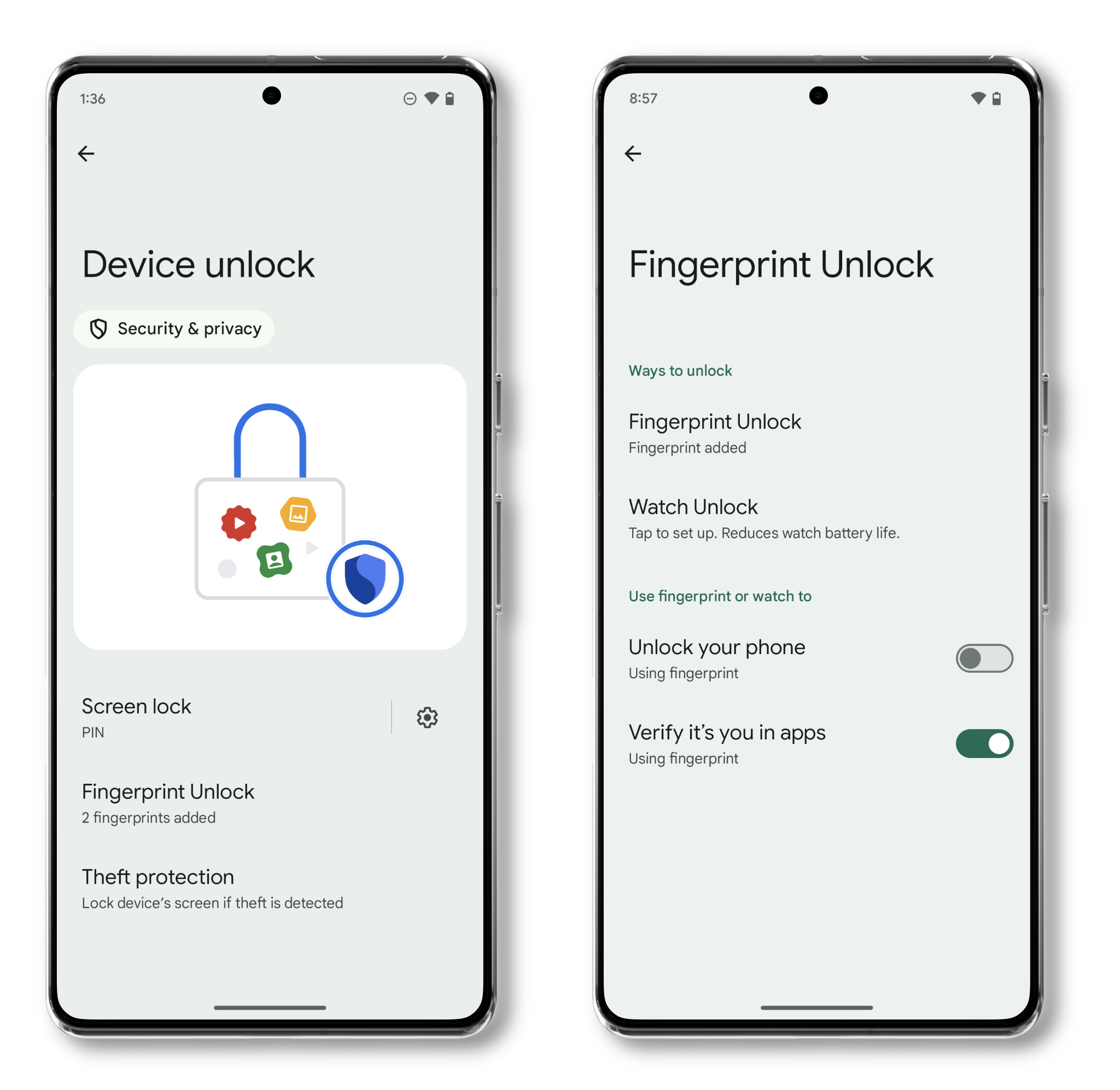
On iPhone, go to Settings > Privacy & Security > Tracking and toggle off Allow Apps to Request to Track. This single switch blocks apps from using your advertising identifier to follow you across other companies' apps and websites. citeweb_search:7#1
On Android, head to Settings > Google > Ads and delete or reset your Advertising ID, then opt out of ad personalization. This won't stop ads, but it stops them from being tailored to your specific behavior across apps. citeweb_search:7#0
Switch to a Private Search Engine
Google Search is excellent at finding what you need. It's also excellent at building a profile of your interests, health concerns, political views, and shopping habits based on everything you type. Switching to a privacy-focused search engine like DuckDuckGo, Brave Search, or Startpage breaks that link. Your searches stay between you and the search box.
Stop Using Social Logins
That "Sign in with Google" or "Sign in with Facebook" button is convenient, but it's also a data pipeline. Every time you use it, you're giving that platform a record of where you signed in, what service you used, and when. Use email-based signups instead. Create a dedicated email for signups if you want to keep your primary inbox clean.
Lock Down App Permissions
Apps ask for way more access than they need. A flashlight app doesn't need your location. A calculator doesn't need your microphone. Go through your app permissions regularly and revoke anything that feels excessive. On both iPhone and Android, you'll find this under Settings > Privacy or Settings > Apps > Permissions. citeweb_search:7#0
Tier 2: Build Your Privacy Infrastructure
Once you've handled the quick wins, it's time to put real tools in place. These require a bit more setup but dramatically shrink your attack surface.
Use a Password Manager (Seriously, This Time)
Reusing passwords is the fastest way to get compromised. When a service gets breached, and they do, regularly, attackers try those same credentials on every other platform they can find. A password manager generates unique, complex passwords for every account and stores them securely. You only need to remember one master password.
Bitwarden, 1Password, and Proton Pass are all solid choices. Most offer free tiers that handle the basics. The few minutes it takes to set one up will save you from the nightmare of a cascading account takeover later.
Enable Two-Factor Authentication on Everything
Passwords alone aren't enough anymore. Two-factor authentication (2FA) adds a second layer, usually a code from an authenticator app or a hardware security key. Even if someone steals your password, they can't get in without that second factor.
Prioritize your email, banking, and primary social accounts. Your email is especially critical, it's the gateway to password resets for everything else. If an attacker gets into your email, they can reset passwords on virtually every other service you use. citeweb_search:7#0
Get a VPN You Trust
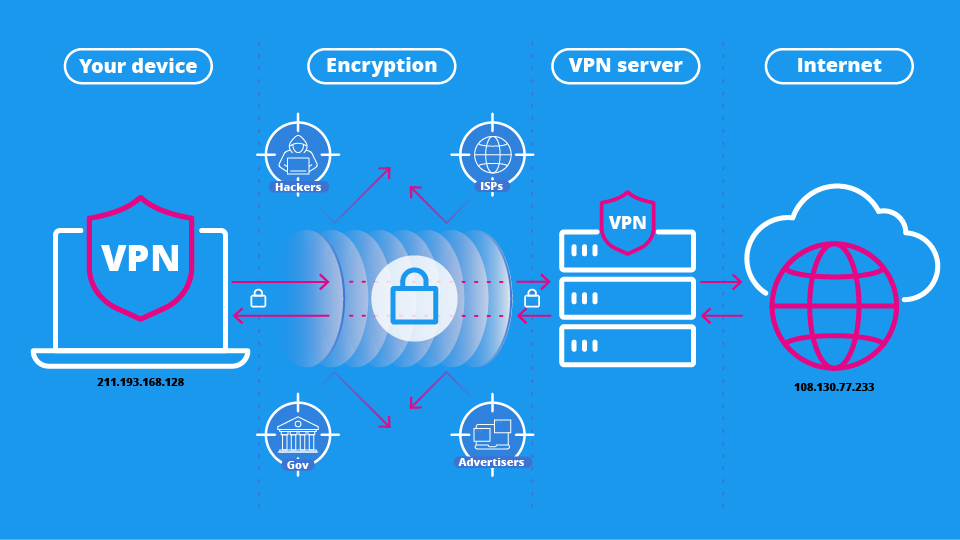
Public Wi-Fi is convenient and dangerous. Coffee shop networks, airport hotspots, and hotel Wi-Fi are prime hunting grounds for attackers who can intercept unencrypted traffic. A VPN encrypts everything between your device and the VPN server, making your browsing invisible to anyone on the same network.
But be careful. Free VPNs are often worse than no VPN at all. Many log your data and sell it to third parties, which defeats the entire purpose. Stick with reputable paid services like Mullvad, ProtonVPN, or Windscribe. They don't keep logs, they're transparent about their operations, and they won't sell your browsing history. citeweb_search:7#2
Freeze Your Credit
This one is non-negotiable in 2026. A credit freeze stops anyone, including you, from opening new accounts in your name. It's free, takes about ten minutes per bureau, and is the single most effective defense against identity theft. Contact Experian, Equifax, and TransUnion directly to set it up. You can temporarily unfreeze anytime you actually need credit. citeweb_search:7#0
Tier 3: Advanced Defenses for Serious Privacy
These steps take more effort but deliver maximum protection. If you're serious about controlling your digital footprint, this is where you level up.
Use Separate Digital Identities
One of the smartest moves you can make is compartmentalizing your online life. Use different email addresses, phone numbers, and even virtual cards for different purposes. Shopping, social media, banking, and travel should each have their own identity layer. If one gets compromised or leaked, the damage stays contained.
Services like SimpleLogin, Firefox Relay, and MySudo make this manageable. Instead of juggling dozens of accounts, you create aliases that forward to your main inbox. When a service gets breached, you just delete the alias. citeweb_search:7#0
Audit Your Digital Footprint Regularly
Search your own name on Google. See what comes up. Use Google's "Results about you" tool to request removal of personal contact details from search results. Check Have I Been Pwned to see if your email was involved in any known data breaches. Review your social media profiles and lock down anything that's publicly visible.
Set a calendar reminder every three months to do this again. Your digital footprint grows constantly, and regular audits are the only way to keep it under control. citeweb_search:7#1
Delete Ghost Accounts
The average person has around 100 online accounts, most of which they've forgotten about. Each one is a potential breach point. Old shopping accounts, expired subscriptions, abandoned social profiles, they all hold data that can be leaked, sold, or exploited. Go through your password manager or email inbox and close anything you don't use. citeweb_search:7#1
Lock Down Social Media
Social platforms are privacy black holes. Every post, photo, and check-in feeds into data broker databases and advertising profiles. Limit your profiles to friends only. Remove your birthday, workplace, phone number, and email from public view. And think twice before sharing location-tagged photos in real time. citeweb_search:7#3
Free vs. Paid Privacy Tools: What Actually Works
| Tool Type | Free Option | Paid Upgrade | Worth Paying For? |
|---|---|---|---|
| Password Manager | Bitwarden Free, Proton Pass Free | 1Password, Bitwarden Premium | Yes, for families and advanced features |
| VPN | ProtonVPN Free, Windscribe Free | Mullvad, ProtonVPN Plus | Absolutely, free VPNs often sell your data |
| Email Aliases | SimpleLogin Free (5 aliases) | SimpleLogin Premium, Firefox Relay | Yes, if you need many aliases |
| Browser | Firefox, Brave, Tor | N/A | No, excellent free options exist |
| Search Engine | DuckDuckGo, Brave Search | N/A | No, privacy search is free |
| 2FA Authenticator | Google Authenticator, Aegis | YubiKey hardware keys | Yes, hardware keys are the gold standard |
Pros and Cons of Aggressive Privacy Protection
| Pros | Cons |
|---|---|
| Dramatically reduced tracking and profiling | Some services become less convenient |
| Protection against identity theft and financial fraud | Social logins and autofill no longer work everywhere |
| Stronger defense against AI-powered behavioral analysis | Requires ongoing maintenance and quarterly audits |
| Peace of mind knowing your data isn't being sold | Some websites may break with strict tracker blockers |
| Better battery life from reduced background tracking | Learning curve for password managers and aliases |
Expert Tip: Create a Family Safe Word
Deepfake scams are getting terrifyingly convincing. Attackers can now clone voices from just a few seconds of audio and use AI to generate realistic video calls. The result? Calls from "your daughter" or "your boss" demanding urgent wire transfers.
The defense is surprisingly low-tech. Create a simple safe word with your family and close contacts. Something random, not obvious, and never shared online. If someone calls claiming an emergency, ask for the safe word. A scammer won't know it. A real family member will. citeweb_search:7#0
Also, set up transaction alerts on every financial account. Most banks and credit cards let you get a text or push notification for every purchase over a threshold you set. It's the fastest way to catch fraud before it spirals.
FAQ
Do I really need a VPN if I only use home Wi-Fi?
A VPN is most critical on public Wi-Fi, but it still helps at home. Your ISP can see and potentially sell your browsing history. A VPN encrypts that traffic so your ISP only sees that you're connected to a VPN server, not what you're doing. If privacy from your internet provider matters to you, a VPN is worth using everywhere.
Is it safe to use free privacy tools?
Some are excellent. Firefox, Brave, DuckDuckGo, and Signal are all free and trustworthy. But free VPNs are a different story. Many log your data, inject ads, or sell your browsing history to cover costs. For critical tools like VPNs and password managers, paying a small monthly fee is worth the peace of mind. citeweb_search:7#2
How often should I review my privacy settings?
At least once per quarter. Companies update their privacy policies and default settings regularly, often without clear notification. Set a calendar reminder every three months to check your app permissions, social media visibility, and any new accounts you've created. A 15-minute audit four times a year keeps your footprint manageable. citeweb_search:7#2
Can I still use Google and Facebook while protecting my privacy?
Yes, but with limits. You can improve privacy on major platforms by adjusting settings, limiting data sharing, and using privacy-focused browsers. But for maximum protection, consider gradually transitioning to alternatives for critical activities. Use privacy search for research, Signal for sensitive messages, and separate email aliases for social accounts. You don't have to quit these platforms entirely to reduce their data collection.
What should I do if I think my identity has been stolen?
Act fast. Report it to IdentityTheft.gov immediately. Contact your bank and credit card companies to freeze accounts. Change passwords on all critical accounts, starting with your email. Place a credit freeze with all three bureaus if you haven't already. And consider filing a police report. Early action can dramatically limit the damage. citeweb_search:7#0
Final Thoughts
Online privacy in 2026 isn't about disappearing from the internet. It's about being intentional. Every account you create, every permission you grant, and every piece of data you share is a choice. Most people make those choices on autopilot, clicking "Accept All" without reading, granting location access to apps that don't need it, and reusing passwords because it's easier.
The people who stay protected are the ones who slow down. They read the prompts. They audit their accounts. They use tools that put them in control instead of handing their data to the highest bidder. You don't need to do everything on this list. But doing even the first tier, the quick wins, will put you ahead of 90% of internet users.
Privacy isn't a product you buy. It's a habit you build. Start today, and every layer you add makes you a harder target tomorrow.
🎥 Recommended Video
https://www.youtube.com/results?search_query=how+to+protect+privacy+online+2026+complete+guide

No comments:
Post a Comment