
You plug your phone in before bed. By morning, you've got a full battery and one less thing to worry about. But here's the uncomfortable truth: that harmless ritual is quietly shaving months off your battery's lifespan. Not through some dramatic overcharge explosion, but through slow, invisible chemical wear that most people never notice until their phone that used to last all day is begging for a charger by lunch.
Modern smartphones stop pulling power once they hit 100 percent. Your phone then sits at full charge for six to eight hours straight, often wrapped in a thick case, tucked under a pillow, or resting on a warm nightstand. That combination, high voltage stress plus sustained heat, is lithium-ion battery poison.
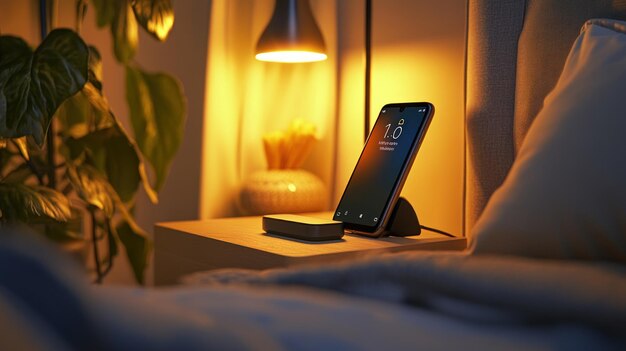
What Actually Happens During an Overnight Charge
Inside every smartphone is a chip called a Power Management Integrated Circuit, or PMIC. It regulates voltage, manages current, and shuts off the flow once the battery is full. It also handles those tiny maintenance charges that top the battery back up when it naturally dips to around 95 percent overnight.
But full isn't free. When a lithium-ion battery sits at 100 percent, its internal chemistry is under constant high voltage stress. The cathode and electrolyte are essentially stretched tight, and the longer they stay that way, the faster they degrade. Over hundreds of nights, that stress compounds. The battery's maximum capacity shrinks and charge cycles burn faster until your phone can't hold the same juice it did when new.
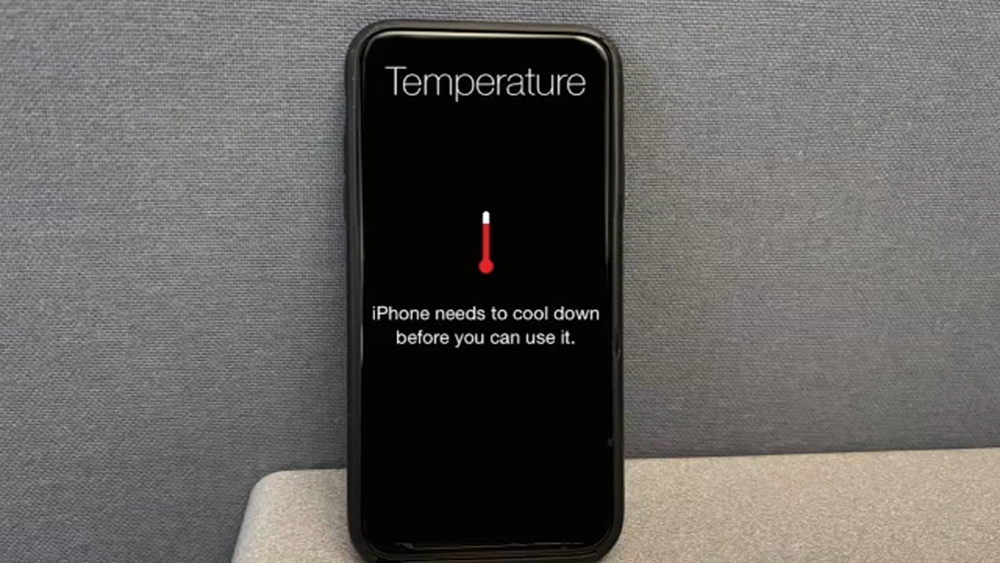
Then there's heat. Charging generates warmth, especially during the fast-charging phase before you fall asleep. If your phone is in a case, under bedding, or in a warm room, that heat has nowhere to go. Lithium-ion batteries age fastest above 95 degrees Fahrenheit, and a phone charging under a pillow can easily get there. The PMIC protects against overcharging, but it can't cool down a phone that's cooking itself overnight.
Why Heat Is the True Battery Killer
If high voltage stress is the slow burn, heat is the accelerant. Every 10 degrees above room temperature roughly doubles the rate of chemical reactions inside a battery that degrade its capacity. Heat stacks on top of itself too. Fast charging produces more heat than slow charging. Wireless charging produces more heat than wired. Using your phone while it charges adds even more. And if you do all of this in a warm environment, like a summer bedroom, you're layering stress on top of stress.
Apple recommends keeping devices between 32 and 95 degrees Fahrenheit during charging. Samsung and Google offer similar guidance. Yet millions of people charge their phones on soft mattresses, under pillows, or inside insulated cases that trap heat like a winter coat.
How Your Phone Is Trying to Save Itself
Phone makers have been building software solutions for years. iPhones offer Optimized Battery Charging, which learns your routine and holds the charge at 80 percent for most of the night, only finishing that last 20 percent shortly before you wake up. Samsung offers Battery Protect, which can cap charging at 85 percent entirely. Google Pixel has Adaptive Charging, which slows the final stretch based on your alarm. Most major Android brands have their own versions, often buried in Battery or Device Care settings.
The catch? Many people never turn these features on. Or they disable them because they occasionally need a full charge before an early flight. These tools work best when your schedule is predictable, which means the average user still spends most nights at 100 percent, optimization off, phone warming the sheets.
The Smarter Charging Playbook
You don't need to overhaul your life. A few small tweaks can cut the wear dramatically.
- Turn on your phone's smart charging feature. On iPhone, it's Settings, Battery, Battery Health & Charging, then Optimized Battery Charging. On Samsung, look for Battery Protect under Battery and Device Care. On Pixel, it's Adaptive Charging in Battery settings. These are free, built-in, and genuinely effective.
- Change where you charge. A hard, flat, cool surface is ideal. A wooden nightstand works great. A plush comforter, pillow, or couch cushion is not. These surfaces insulate heat and block airflow. If your phone feels warm when you pick it up in the morning, it's been too hot all night.
- Lose the case during long charges. Cases are great for drops, but terrible for heat dissipation. Popping the case off before bed takes two seconds and can lower battery temperature by several degrees.
- Avoid gaming or streaming while plugged in. Heavy use plus charging is a one-two punch of heat generation. Let the phone rest while it charges, or stick to light tasks like messaging.
- Consider charging earlier in the evening. Plug in when you get home, let it hit 80 or 90 percent, then unplug before bed. If you need more juice in the morning, a 15-minute top-up while you get ready is far gentler than eight hours at 100 percent.
Charging Approaches Compared
| Approach | Battery Stress Level | Heat Risk | Convenience Score |
|---|---|---|---|
| Overnight to 100% | High | High | Very Easy |
| Optimized/Adaptive Charging | Moderate | Low | Very Easy |
| Daytime top-ups to 80% | Low | Low | Moderate |
| Wireless overnight | High | Very High | Very Easy |
| Gaming while charging | Very High | Very High | Easy |
As the table shows, the most convenient option is also the harshest on your battery. Optimized charging strikes the best balance for most people, while daytime top-ups are the gold standard if you can manage the habit.
Pros and Cons of Breaking the Overnight Habit
Pros:
- Slower battery degradation and better long-term capacity
- Reduced heat exposure during charging
- Lower risk of battery swelling or safety issues over time
- Better overall device performance as the battery stays healthier
Cons:
- Requires a small behavior change and some planning
- Smart charging features aren't perfect if your schedule varies
- You might occasionally wake up to less than 100 percent
- Daytime charging can be less convenient for busy schedules
Expert Tip: Live in the 20-80 Zone
The sweet spot for lithium-ion longevity is keeping your battery between 20 and 80 percent as often as possible. You don't need to obsess over it, but avoiding the extremes helps. Check your battery health in Settings every few months. On iPhone, it's under Battery Health & Charging. On Android, use a trusted app like AccuBattery. If you're below 90 percent health after one year, your charging habits deserve a second look.
FAQ
Will overnight charging destroy my battery immediately?
No. Modern phones won't overcharge in the traditional sense. The damage is cumulative and happens slowly over months and years of sustained heat and high voltage stress.
Is it okay to charge to 100 percent sometimes?
Absolutely. Charging to full isn't poison, it's the habit of staying there for hours every night that accelerates wear. Occasional full charges are perfectly fine.
Does fast charging hurt my battery?
Fast charging itself isn't harmful if you use a quality charger, but it generates more heat. That heat becomes a problem if the phone can't cool down, like when it's under a pillow or in a thick case.
Should I let my battery die completely before recharging?
No, that's an old myth from nickel-based batteries. Lithium-ion batteries prefer frequent partial charges. Letting your phone hit 0 percent puts significant stress on the cells.
Are wireless chargers worse for overnight charging?
They can be. Wireless charging is less efficient and generates more heat than wired charging. If you charge overnight on a wireless pad, make sure the phone has plenty of airflow and consider removing the case.
Final Thoughts
Your smartphone battery is a consumable part. It will degrade no matter what you do. But the speed of that degradation is largely in your hands. The overnight charging habit feels harmless because the consequences are invisible at first. You don't see the chemical wear or the capacity loss. You just notice, one day, that your phone can't make it through a full day anymore.
The fix doesn't require buying anything new. Enable your phone's built-in optimization. Charge on a cool, hard surface. Lose the case at night. And maybe plug in a little earlier and unplug before you sleep. Your battery isn't asking for perfection. It's asking for a little less time at 100 percent and a little less heat. That's a small ask for an extra year of solid battery life.
🎥 Recommended Video
https://www.youtube.com/results?search_query=smartphone+battery+health+charging+habits+overnight

No comments:
Post a Comment