
Remember when choosing a browser was simple? Chrome for speed, Safari for Apple people, Firefox for the privacy crowd. That was last decade. In 2026, a new category of browser has arrived, and it's not just faster or prettier — it's genuinely different. These aren't browsers with AI bolted on the side. They're browsers rebuilt from the ground up with artificial intelligence as the central nervous system.
The buzz isn't just tech Twitter hype. When Perplexity Comet dropped its $200-per-month price tag to completely free, and when the team behind Arc Browser pivoted their entire company toward an AI-first product called Dia, people started paying attention. This isn't an update. It's a category shift.

What Makes an AI Browser Actually Different?
Traditional browsers are windows. You look through them at the internet, and you do all the thinking, clicking, and organizing yourself. AI browsers are more like assistants that happen to live inside a browser window. They read pages with you, remember what you were doing yesterday, and in the most advanced cases, complete tasks while you grab coffee.
The industry calls the most advanced versions "agentic browsers." Instead of just answering questions, they can browse autonomously — opening tabs, filling forms, comparing prices, and compiling research across multiple sites. You type "find me the cheapest direct flight to Tokyo next Tuesday," and the browser actually does it. Not a search result. Not a suggestion. The actual work.
That distinction is why this moment feels bigger than the usual tech cycle. A faster JavaScript engine improves your existing workflow. A browser that does the workflow for you changes what a browser even is.
The Players Everyone Is Actually Using
Several AI browsers have launched or matured in 2026, but three names dominate every conversation right now.
Perplexity Comet
Comet went from an exclusive $200-per-month tool to completely free in late 2025, and that move alone disrupted the entire space. It's the closest thing to a fully autonomous browser available today. Tell it to research a topic, compare products, or book a reservation, and it opens multiple tabs, analyzes results, and executes actions.
It maintains context across tabs, sees what you're looking at without screenshots or copy-paste, and can even run tasks in the background while you do something else. The catch? It requires extensive screen access permissions, and security researchers have documented prompt injection vulnerabilities that could allow malicious websites to hijack its actions. It's powerful, but that power comes with genuine risk.
Dia Browser
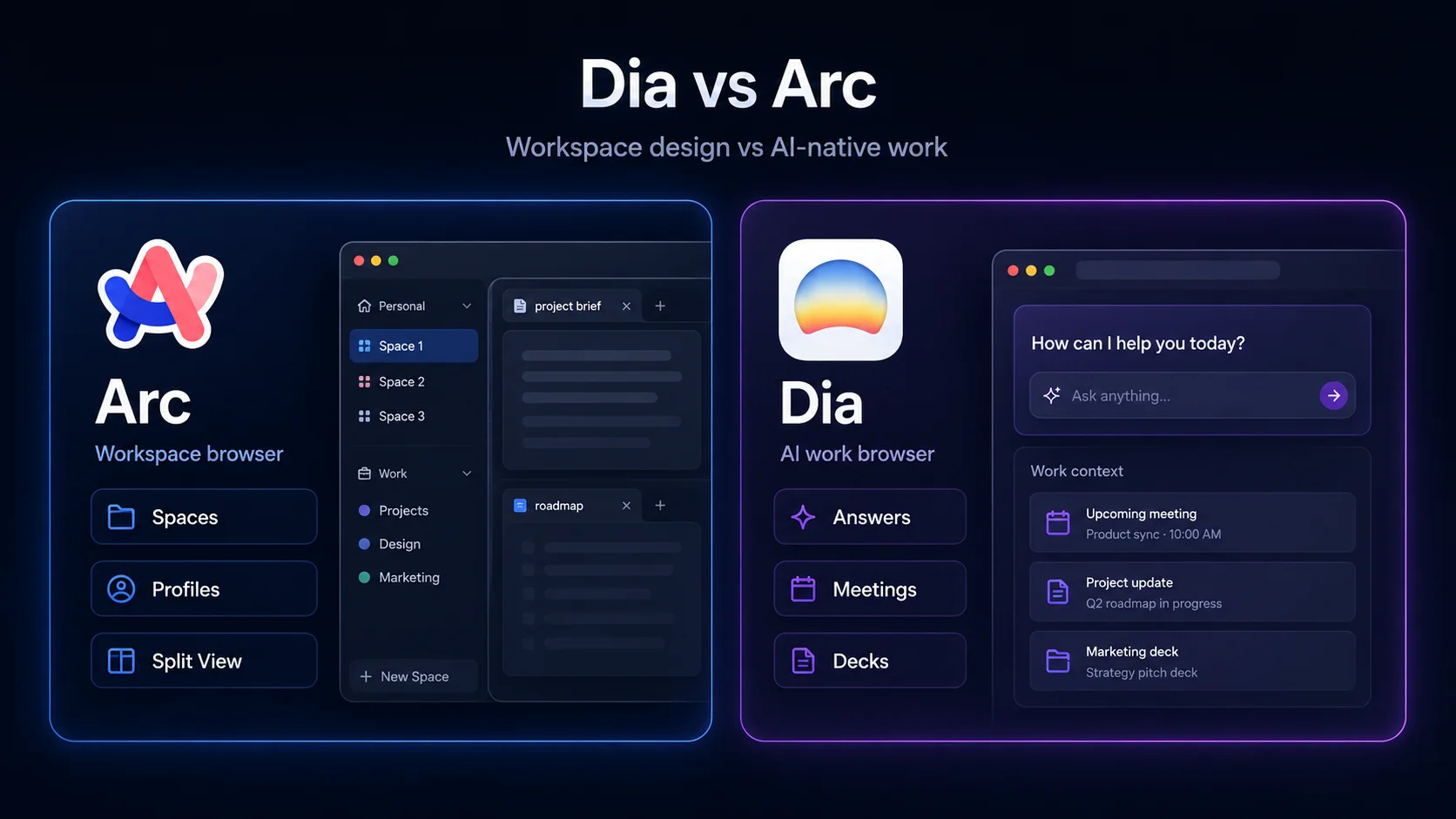
From the same team that built Arc Browser — which was acquired by Atlassian in late 2025 — Dia represents a complete reimagining of what browsing looks like when AI is the default interface rather than an add-on. The URL bar is also a chatbot. You type questions, upload documents, or ask it to summarize your open tabs without switching to a separate tool.
Dia's standout feature is "Skills" — custom AI shortcuts that learn your habits. Browse developer docs frequently? Dia starts prioritizing technical answers. Research design sites? It shifts toward creative assistance. It's currently macOS-only with a free tier and a Pro plan around $20 per month for heavy users.
ChatGPT Atlas
OpenAI's browser entry blends ChatGPT directly into your browsing experience. It sees what you see, remembers context across sessions, and offers an Agent Mode that requires your approval before taking action — making it more controlled than Comet but less autonomous. It's macOS-only for now, with Windows and mobile versions still unannounced.
Why Traditional Browsers Are Scrambling
Google, Microsoft, and Apple aren't sitting still. Chrome launched Auto Browse for Premium subscribers in early 2026, enabling autonomous task completion through a persistent Gemini side panel. Microsoft Edge has been weaving Copilot deeper into the browsing experience for over a year. Even Firefox, traditionally the privacy-focused holdout, shipped AI Controls in version 148, letting users disable every generative feature with a single toggle.
But there's a fundamental tension. Legacy browsers were built to display information. These new AI browsers were built to understand and act on it. Retrofitting autonomy into a browser designed for manual clicking is like adding autopilot to a bicycle. It works, sort of, but it won't feel native.
The Privacy Elephant in the Room
Here's the uncomfortable truth: an AI browser that actually helps you needs to see everything. Your emails. Your calendar. Your shopping carts. Your bank tabs. The more access you grant, the more useful it becomes — and the more catastrophic a breach or exploit would be.
Security researchers have already demonstrated that malicious instructions embedded in web pages can redirect what these AI browsers do without users noticing. When your browser can autonomously make purchases or fill out forms, a hijacked session isn't just annoying — it's expensive.
The privacy-first alternative is Brave Leo, which stores conversations locally and requires no account. But the trade-off is capability. Local models are improving, but they still lag behind the cloud-powered heavyweights in reasoning and task completion.
AI Browser Comparison: The 2026 Landscape
| Browser | Best For | Autonomy Level | Price | Platforms |
|---|---|---|---|---|
| Perplexity Comet | Deep research, autonomous tasks | High | Free | macOS, Windows, iOS, Android |
| Dia Browser | Custom AI workflows, productivity | Medium | Free / $20 Pro | macOS (Windows coming) |
| ChatGPT Atlas | ChatGPT users, controlled agents | Medium | Free / $20+ | macOS only |
| Google Chrome Auto Browse | Google ecosystem users | Medium | Premium only | All (Premium required) |
| Brave Leo | Privacy-first users | Low | Free / $15 Premium | All platforms |
Pros & Cons of Switching to an AI Browser
| Pros | Cons |
|---|---|
| Can complete multi-step tasks without manual clicking | Requires extensive permissions that create security risks |
| Summarizes and analyzes content instantly | Most advanced features sit behind paywalls |
| Maintains context across tabs and sessions | Still maturing — bugs and freezes are common |
| Dramatically speeds up research and comparison shopping | Privacy trade-offs are significant for cloud-based tools |
Expert Tip
Don't switch your primary browser on day one. These AI browsers are evolving fast, and what's best today might not be best next quarter. Instead, run an AI browser alongside your current one for specific tasks — research, trip planning, comparison shopping. Use Perplexity Comet for deep research sessions, keep Dia open for writing and summarization, and stick with your trusted browser for banking, email, and anything sensitive. Think of AI browsers as specialized power tools, not universal replacements. They're incredible for the right job, but you probably don't want them handling your tax forms just yet.
FAQ
Is an AI browser safe for everyday use?
For general browsing and research, yes. But be cautious with sensitive accounts. Don't grant autonomous permissions for banking, shopping, or personal email until the security model matures further.
Will AI browsers replace Chrome and Safari?
Not immediately. Traditional browsers still dominate for speed, compatibility, and simplicity. But for knowledge workers, researchers, and power users, AI browsers are becoming the default for specific workflows.
Do I need to pay for a good AI browser?
No. Perplexity Comet is fully free, and Dia has a generous free tier. The paid plans mostly unlock higher usage limits and faster models. For casual use, free versions are more than sufficient.
Can AI browsers run my existing extensions?
Some can, some can't. Dia and Comet have limited extension support compared to Chrome. If you rely heavily on specific extensions, check compatibility before switching.
What happened to Arc Browser?
Arc entered maintenance mode in mid-2025 after its parent company was acquired by Atlassian. The team shifted focus to Dia, which carries forward Arc's AI ambitions in a new product built from scratch.
Final Thoughts
The AI browser wave isn't just another feature update — it's a redefinition of what a browser is supposed to do. For decades, browsers were passive tools that displayed what we asked them to display. The new generation is proactive. It thinks, remembers, and acts.
That power comes with real trade-offs. Privacy, security, and control are all more complicated when your browser has a mind of its own. But for anyone who spends hours researching, comparing, writing, or organizing information online, the productivity gains are undeniable.
You don't have to abandon Chrome today. But you should probably download one of these and see what the fuss is about. Because in a year or two, "regular" browsing is going to feel a lot like using a flip phone in the smartphone era. The window is changing. The only question is whether you're ready to look through it differently.
━━━━━━━━━━━━━━━━━━
🎥 Recommended Video
https://www.youtube.com/results?search_query=AI+browser+2026+Perplexity+Comet+Dia

No comments:
Post a Comment