
Your phone is burning a hole in your pocket. Not literally — though at this temperature, you’re not entirely sure. You closed the game. You stopped streaming. You even turned off Bluetooth. And it’s still hot enough to fry an egg.
The real culprit isn’t what you’re doing right now. It’s what your phone is doing when you’re not looking.
Background Apps: The Silent Furnace
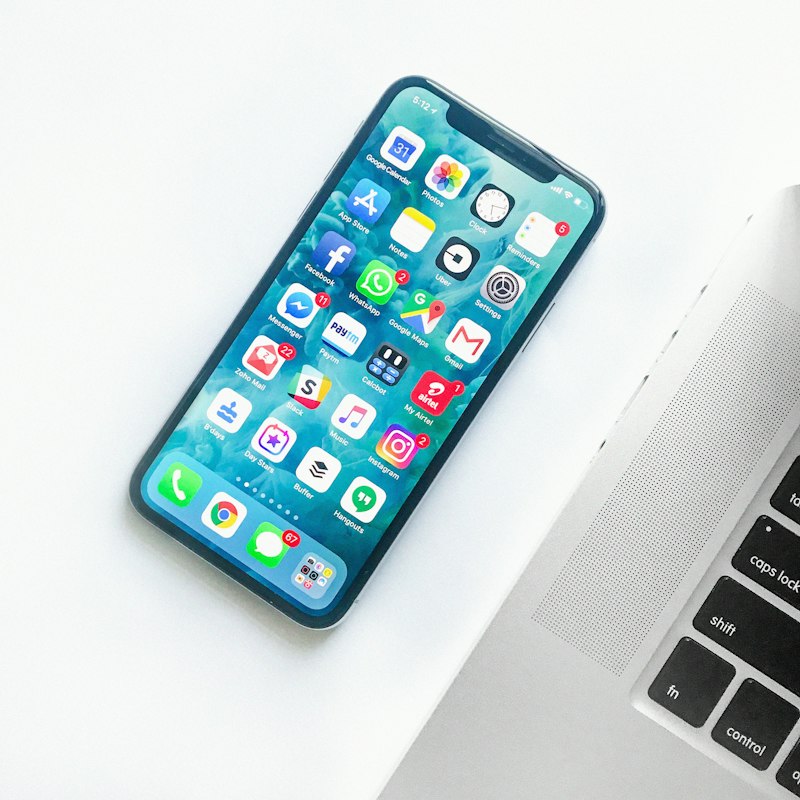
Here’s the simple truth most people miss: your phone is a multitasking machine that never stops working. Even when the screen is off, dozens of apps are refreshing feeds, checking locations, syncing photos, downloading updates, and pinging servers for notifications. Each one is a tiny ember. Together, they’re a bonfire in your pocket.
Social media apps are the worst offenders. Instagram, TikTok, Facebook, X — they refresh content in the background so your feed feels instant when you open them. GPS-based apps like Uber, Google Maps, and weather services keep your location pinned. Cloud storage apps like Google Photos and Dropbox upload every screenshot and selfie the moment you take it. None of this stops when you lock your screen.
The fix is embarrassingly simple. On iPhone, go to Settings > General > Background App Refresh and turn it off for anything that doesn’t need real-time updates. On Android, head to Settings > Apps, pick each app, go to Battery, and set background activity to Restricted.
You won’t miss anything. The apps still work perfectly when you open them. They just stop cooking your phone while you sleep.
Your Signal Is Working Overtime
Ever notice your phone gets hottest in the car, the basement, or that one corner of your apartment where Wi-Fi drops to one bar? That’s not coincidence. When your phone can’t find a strong cellular or Wi-Fi signal, it cranks its radio power to maximum and keeps searching. Constantly. Desperately. That search burns battery and generates serious heat.
If you’re in a dead zone and don’t need connectivity, flip on Airplane mode. It’s the fastest way to cool a phone that’s overheating from signal hunting. If you’re at home with weak Wi-Fi, consider moving closer to your router or switching to cellular data temporarily. Your phone works harder to hold a weak connection than to maintain a strong one.
The Case That Traps Heat
That rugged case you bought to protect your phone? It’s also trapping heat like a winter coat in July. Smartphones are designed to dissipate heat through their metal and glass backs. A thick silicone or leather case blocks that escape route entirely.
If your phone feels hot, pop the case off for ten minutes. You’ll feel the difference immediately. For everyday use, consider a thinner case or one marketed with ventilation channels. Or just accept that a naked phone cools better than a protected one — and maybe that’s the trade-off worth making on a 95-degree day.
Charging While Using: The Double Whammy
Charging generates heat. Using your phone generates heat. Doing both at once is asking your battery to run a marathon in a sauna. Fast charging makes it worse — the higher wattage pushes more current, which creates more thermal load. Wireless charging is even less efficient, turning a chunk of that energy into pure heat before it ever reaches your battery.
The rule is simple: if your phone is already warm, don’t charge it while gaming or streaming. Charge it on a hard, flat surface — never on a bed, couch, or pillow where heat gets trapped underneath. And if it’s uncomfortably hot, unplug it and let it cool before resuming.
Malware: The Hidden Heater
If your phone is hot even when you’re not using it, and the battery is draining faster than usual, you might have a bigger problem. Malicious apps — cryptojackers, spyware, aggressive adware — can hijack your CPU and run it at full tilt in the background. One particularly nasty trojan called Loapi was so resource-hungry it physically bulged and broke phone batteries.
Check your battery usage stats. On iPhone: Settings > Battery. On Android: Settings > Battery > Battery Usage. If an app you barely use is sucking down 30% of your battery, that’s your smoking gun. Uninstall it, run a security scan, and stick to the official app stores.
Environmental Heat: The Silent Partner
Your phone has a safe operating range of roughly 32°F to 95°F (0°C to 35°C). Leave it on a car dashboard in summer, and the ambient temperature alone pushes it past that limit before you even unlock it. Direct sunlight turns glass and metal into a mini oven. Your phone will display a temperature warning and shut down to protect itself — but by then, the damage to your battery may already be done.
Never leave your phone in a hot car. Keep it in the shade at the beach. And for the love of your warranty, do not put an overheated phone in the freezer — rapid temperature swings cause condensation inside the device that can short-circuit the logic board.
Pros & Cons
| Fix | Pros | Cons |
|---|---|---|
| Restrict background apps | Immediate cooling, better battery life, no app functionality lost | Some apps may load slightly slower when opened |
| Use Airplane mode in dead zones | Stops radio power drain instantly; phone cools fast | No calls, texts, or internet until turned off |
| Remove thick case | Dramatically improves heat dissipation; free | Less drop protection; risk of scratches |
| Avoid charging while gaming | Prevents thermal stress on battery; extends lifespan | Inconvenient; may need to plan charging around usage |
| Keep out of direct sunlight | Prevents ambient heat buildup; protects battery health | Requires mindfulness; not always practical outdoors |
Expert Tip
Don’t trust “phone cooler” apps from the Play Store or App Store. Most of them are adware in disguise — they claim to cool your phone by closing background apps, which your operating system already does automatically. Worse, they often run their own background processes, serve intrusive ads, and collect your data. The only real way to cool your phone is to remove the actual sources of heat: background apps, poor signal, thick cases, and bad charging habits. There is no app for that.
FAQ
Is it normal for my phone to get warm during everyday use?
Yes, some warmth is normal — especially during charging, gaming, or streaming. But if it becomes uncomfortably hot to touch, or stays hot when you’re not actively using it, something is wrong.
Can overheating permanently damage my phone?
Unfortunately, yes. Consistent overheating degrades lithium-ion batteries, reduces performance through thermal throttling, and in extreme cases can damage the CPU or even cause battery swelling.
Why does my phone get hot even when I’m not using it?
Background app activity, poor cellular signal, or malware are the usual suspects. Check your battery usage stats to identify the culprit. If nothing obvious shows up, run a security scan.
Should I put my hot phone in the fridge or freezer?
Absolutely not. Rapid temperature changes cause condensation inside the device, which can short-circuit the logic board and destroy your phone permanently. Let it cool naturally in a shady spot.
Does wireless charging make phones hotter?
Yes. Wireless charging is less efficient than wired charging, and the lost energy becomes heat. If your phone already runs warm, stick to a cable — preferably the manufacturer-approved one — and charge on a hard, flat surface.
Final Thoughts
Your phone isn’t overheating because it’s broken. It’s overheating because it’s doing too much at once — most of it without your permission. Background apps, signal hunting, thick cases, and bad charging habits stack up like kindling until one hot day, everything ignites.
The good news? Every one of these causes is fixable in under five minutes. Restrict background activity. Ditch the case when it’s hot. Charge on a desk, not a pillow. And keep your phone out of the sun like you’d keep a chocolate bar.
Your phone is a powerful computer that fits in your pocket. Treat it like one — give it room to breathe, and it’ll stop trying to cook itself.
🎥 Recommended Video
https://www.youtube.com/results?search_query=phone+overheating+fix+background+apps+cooling

No comments:
Post a Comment