
My phone had been charging perfectly for two years. Plug it in at night, wake up to 100%, no drama. Then one evening, I noticed the battery percentage hadn’t moved after an hour on the charger. I wiggled the cable. The charging icon flickered on and off. I tried a different outlet. Same thing. By the next morning, my phone was at 12% and refusing to charge at all. I was already mentally preparing for a trip to the repair shop — maybe a dead battery, maybe a fried charging port, maybe both. What I didn’t expect was that the fix would take five minutes, cost nothing, and leave me feeling slightly embarrassed about how long I’d ignored the obvious.
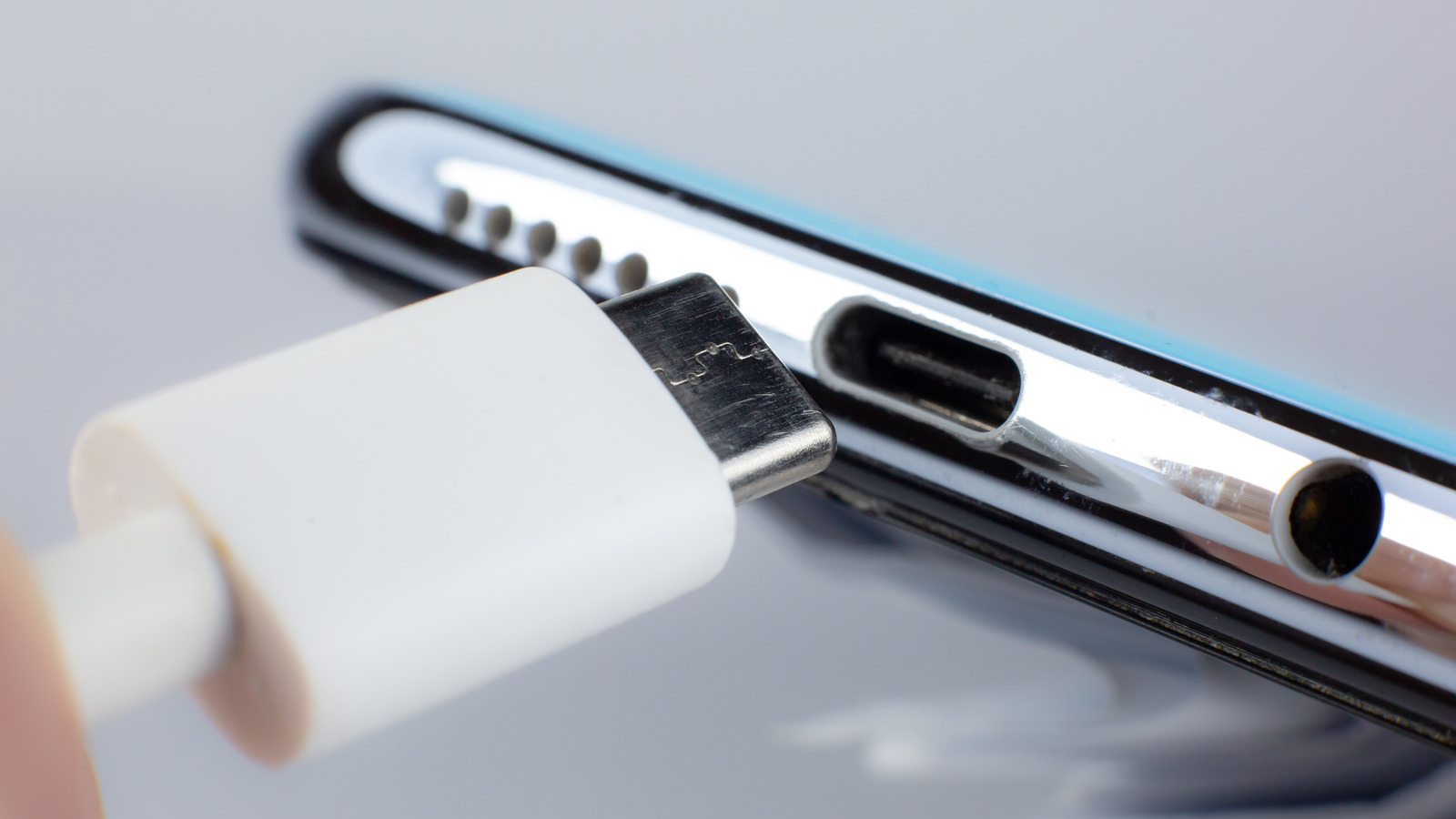
Charging problems are one of the most common complaints among Android users, and they almost always follow the same pattern. Everything works fine until it doesn’t. The decline is gradual — a slightly slower charge here, a loose connection there — until one day the phone simply won’t charge. The good news is that most charging issues aren’t caused by catastrophic hardware failure. They’re caused by accumulation. Lint, dust, debris, and corrosion build up in the charging port over months of pocket storage, and eventually the cable can’t make proper contact. The bad news is that most people don’t think to check this until they’ve already spent money on new cables, adapters, and unnecessary anxiety.
How I Diagnosed the Real Problem
Before jumping to conclusions, I ran through the standard troubleshooting checklist. I tried three different cables — including the original that came with the phone — and none worked reliably. I tested multiple wall adapters and even a wireless charging pad, which also failed to charge consistently. That ruled out the accessories. A software issue seemed unlikely since the phone hadn’t had any recent updates or crashes, but I tried a soft reset anyway. No change.
Then I grabbed a flashlight and looked into the charging port. What I saw explained everything. The USB-C port was packed with compacted lint and pocket debris. It wasn’t visible from the outside — the opening looked clean enough — but shining a light inside revealed a wall of gray fuzz packed against the back of the port. The cable was physically blocked from seating fully, which explained why wiggling it sometimes worked and sometimes didn’t. The connection was intermittent because the cable pins were only touching the port contacts at certain angles.
This is far more common than most people realize. Every time you put your phone in your pocket, tiny fibers and dust particles get pushed into the port. Over months, they compress into a solid mat that acts like a physical barrier. It’s not a design flaw — it’s just physics. And it’s the number one cause of charging problems that get misdiagnosed as battery or port failure.
The Fix That Actually Worked
Cleaning a charging port sounds simple, but doing it wrong can cause real damage. The internet is full of bad advice: use a toothpick, blow into it, stick a paperclip in there. These methods can bend the delicate pins inside the port, push debris deeper, or create static discharge that damages the electronics. I wanted a safe, effective approach that wouldn’t turn a simple fix into an expensive repair.
Here’s what I used: a can of compressed air, a wooden toothpick, and a small flashlight. The process took about five minutes. First, I powered the phone off completely — not just sleep mode, but a full shutdown. This eliminates any risk of shorting the port contacts. Then I held the can of compressed air upright and gave the port a few short bursts from different angles. This loosened the surface debris and blew out the loosest fibers.
Next, I used a wooden toothpick — not metal, not plastic, wood — to gently scrape the inner walls of the port. The key word is gently. I wasn’t digging or poking at the pins. I was lightly dragging the toothpick along the sides where lint accumulates, pulling out compacted fibers in small chunks. After each pass, I blew into the port with the compressed air again to clear what I’d loosened. I repeated this three or four times, checking with the flashlight between passes.
The difference was dramatic. By the third pass, the toothpick was coming out clean. When I plugged in the cable, it seated with a satisfying click — the kind of solid connection I hadn’t felt in months. The charging icon appeared instantly and stayed on. Within an hour, the battery had climbed from 12% to 67%. The phone was back to normal charging speed, and the intermittent connection issues were completely gone.
What to Do If Cleaning Doesn’t Fix It
Not every charging problem is lint-related. If cleaning the port doesn’t restore normal charging, the next most likely culprit is the charging cable or adapter. Cables fray internally over time, especially at the connector ends, and adapters can lose voltage regulation. Try a known-good cable and adapter — ideally the original that came with your phone — before assuming hardware failure.
If accessories aren’t the issue, check for software problems. A recent Android update can occasionally introduce charging bugs, especially around fast charging protocols. Booting into safe mode — which disables third-party apps — can help determine if a rogue app is interfering with power management. To enter safe mode on most Android phones, press and hold the power button, then long-press the "Power off" option until the safe mode prompt appears.
Battery degradation is another possibility, though it usually manifests as faster drain rather than refusal to charge. Check your battery health in Settings > Battery > Battery health if your phone supports it. If maximum capacity is below 80%, the battery may need replacement. But this is less common than port debris and should only be considered after ruling out simpler fixes.
If none of these steps work, the charging port itself may be physically damaged — bent pins, cracked solder joints, or corrosion from liquid exposure. At that point, a professional repair is the safest option. Most phone repair shops can replace a charging port in under an hour for a reasonable cost, and it’s far cheaper than replacing the entire phone.
How to Prevent Charging Problems in the Future
The best fix is prevention, and it’s easier than you might think. First, inspect your charging port every few months with a flashlight. If you see lint building up, clean it before it becomes a solid block. Second, avoid charging your phone in dusty environments — construction sites, beaches, and workshops are particularly bad for port contamination. Third, use a case with a port cover if you’re in a dusty or lint-heavy environment. It’s a small inconvenience that can save you a lot of trouble.
Another simple habit: don’t force the cable. If it doesn’t slide in smoothly, something is wrong. Forcing it can compact debris further or damage the internal pins. Remove the cable, inspect the port, and clean if necessary. This takes 30 seconds and can prevent the gradual decline that leads to complete charging failure.
Finally, avoid cheap third-party cables when possible. Poorly made cables can have oversized connectors that don’t fit properly, or they can deliver inconsistent voltage that stresses the port over time. Stick to certified cables from reputable brands, or use the original cable that came with your phone. It’s not just about charging speed — it’s about protecting the physical port from wear and damage.
Pros & Cons of Common Charging Fixes
| Fix | Pros | Cons |
|---|---|---|
| Port Cleaning | Free, fast, fixes most common issues | Requires care; aggressive cleaning can damage pins |
| New Cable/Adapter | Simple test, often the real culprit | Costs money; may not solve the problem |
| Safe Mode Boot | Identifies software conflicts without data loss | Temporary fix; doesn’t address hardware issues |
| Battery Replacement | Restores full capacity and charging efficiency | Expensive; requires professional installation |
| Professional Port Repair | Fixes physical damage safely | Costs money; requires shop visit |
Expert Tip
Here’s the habit that’s saved me from repeat problems: I clean my charging port every time I change my phone case, which is roughly every two months. It takes two minutes with a flashlight and a can of compressed air. I don’t even need the toothpick most of the time — just a quick blast of air prevents lint from ever compacting into a solid block. I also keep a small brush in my desk drawer specifically for this purpose. The key is consistency. Waiting until charging fails means you’re already dealing with a problem. Cleaning proactively means you never have to. My phone has been charging flawlessly for over a year since I started this routine, and I haven’t had a single intermittent connection issue.
FAQ
Can I use a metal object to clean my charging port?
No. Metal objects can bend the delicate pins inside the port, create static discharge, or scratch the contacts. Always use wood, plastic, or compressed air. If you need something more rigid than a toothpick, a plastic dental pick is a safer alternative.
How do I know if my charging port is damaged beyond cleaning?
If the cable still won’t seat properly after thorough cleaning, or if you can see bent or broken pins with a flashlight, the port likely needs professional repair. Also, if the phone charges only at certain angles or wiggles loose with minimal movement, the internal connector may be cracked or detached.
Will wireless charging work if my port is broken?
Yes, in most cases. Wireless charging uses a separate coil and doesn’t rely on the USB port at all. However, if the charging issue is caused by a deeper power management problem rather than just port debris, wireless charging may also be affected. It’s worth testing as a temporary workaround.
Can I use a vacuum to clean the charging port?
A small vacuum with a narrow attachment can work, but it’s risky. The suction can pull debris deeper if the seal isn’t perfect, and static buildup from the vacuum motor can damage sensitive electronics. Compressed air is safer and more effective for most users.
Why does my phone charge slowly even after cleaning the port?
Slow charging after cleaning usually points to a cable, adapter, or battery issue. Try the original charger and cable. If that doesn’t help, check for background apps consuming power while charging. In some cases, the battery itself has degraded and can no longer accept a fast charge, which may require replacement.
Final Thoughts
Charging problems feel urgent because our phones are essential. When the battery won’t climb, panic sets in fast. But most of the time, the solution is simpler than we think. A clogged charging port is the silent killer of phone charging — gradual, invisible, and completely preventable. Before you spend money on new accessories, before you assume your battery is dead, before you book a repair appointment, take five minutes and look inside that port.
My fix was embarrassingly simple. A flashlight, a can of air, and a wooden toothpick. That’s all it took to restore a phone I was ready to replace. The lesson isn’t just about charging ports — it’s about checking the obvious before assuming the worst. Technology fails in predictable ways, and the most common problems usually have the most common solutions. You just have to know where to look.
🎥 Recommended Video
https://www.youtube.com/results?search_query=Android+phone+not+charging+fix+clean+port

No comments:
Post a Comment