
My Android phone was a beast when I bought it. Snappy, responsive, apps opened instantly. Six months later, it felt like a different device. Scrolling stuttered. Apps took forever to load. The keyboard lagged so badly I’d type a sentence and watch it appear three seconds later. I didn’t drop it. I didn’t install anything weird. It just… slowed down.
If this sounds familiar, you’re not alone. And the reasons are more specific than you might think.
The Storage Trap: Why Full Phones Feel Broken
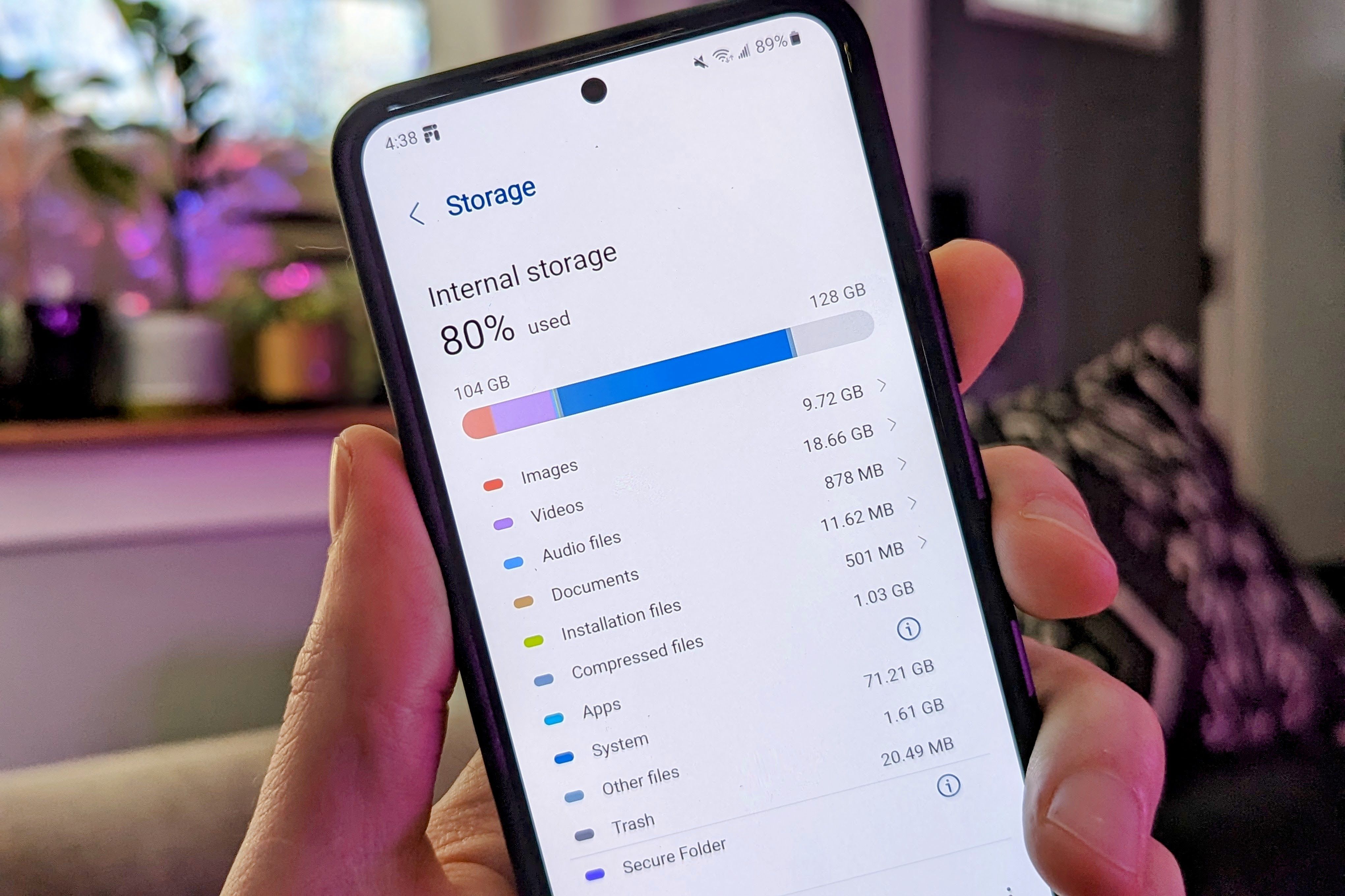
The single biggest culprit behind Android lag is storage pressure. Android needs free space to create temporary files, manage virtual memory, and cache app data. When your storage drops below about 10–15% free, the system starts struggling to perform basic operations. Apps load slower. Camera shots take longer to save. Even the keyboard hesitates because there’s nowhere to write temporary data.
I checked my storage and found I was at 94% full. Photos, videos, app downloads, and cached data had quietly eaten almost everything. The fix was surprisingly effective: I deleted old downloads, cleared app caches, moved photos to Google Photos, and freed up about 12GB. The difference was immediate. Apps that had been sluggish for weeks suddenly felt normal again.
The lesson? Your phone isn’t getting old — it’s getting full. And Android handles full storage far worse than iOS does.
Storage Fragmentation: The Hidden Performance Killer
Even if you have space left, how that space is arranged matters. Over time, files get scattered across your storage in non-contiguous chunks — a phenomenon called fragmentation. Your phone’s processor has to work harder to retrieve data from multiple locations instead of reading it sequentially. It’s like trying to read a book when the pages are spread across different rooms.
Modern Android versions include TRIM support, which helps mitigate this by telling the storage controller which blocks are no longer in use. But TRIM only runs periodically, and on heavily used devices with lots of write operations, fragmentation still accumulates. The result is increased latency — apps take longer to load, photos save more slowly, and the overall experience feels less responsive than when the phone was new.
Background Apps: The Silent Resource Drain
Every app you install adds background processes. Social media apps check for notifications. Cloud services sync your photos. Games preload content. News apps refresh feeds. Individually, these processes are tiny. Collectively, they consume RAM, CPU cycles, and battery — leaving fewer resources for the app you’re actually trying to use.
Some apps are worse than others. Facebook, Instagram, and Snapchat are notorious for running aggressive background services that persist even after you close them. Memory leaks — where apps fail to release RAM after completing tasks — compound the problem over time. Your phone has the same amount of RAM it shipped with, but it’s being divided among more hungry processes than ever.
I audited my apps and uninstalled about fifteen I hadn’t opened in months. I also went into Settings > Apps and restricted background activity for the worst offenders. The improvement was noticeable within a day.
Cache Buildup: When Temporary Files Become Permanent Problems
Apps store cached data to load faster the next time you open them. In theory, this is helpful. In practice, caches grow endlessly — especially for social media, streaming, and browser apps. Over months, these temporary files can consume several gigabytes and occasionally become corrupted, causing apps to crash or lag instead of loading quickly.
Clearing cache is safe and easy. Go to Settings > Storage > Cached data and tap clear. For individual problematic apps, go to Settings > Apps > [App name] > Storage > Clear cache. Your login info and settings stay intact — only the junk gets wiped. I do this monthly now, and it prevents the gradual slowdown that used to creep up on me.
System Updates That Demand More Than Your Hardware Can Give
Android updates are supposed to improve your phone. Sometimes they do the opposite — at least temporarily. After a major update, your phone runs background tasks for hours or even days: re-indexing apps, optimizing processes, syncing data, and rebuilding caches. During this period, CPU and RAM usage spikes, and the phone feels sluggish.
The bigger issue is that newer Android versions and app updates are designed with newer hardware in mind. Features that run smoothly on a 2026 flagship can bring a 2024 mid-ranger to its knees. Your phone’s processor is just as capable as the day you bought it, but the software running on it has become more demanding.
If your phone slowed down immediately after an update, give it 24–48 hours to finish background optimization. If it’s still lagging after that, the update may have pushed your hardware past its comfortable limits.
Thermal Throttling: Heat Makes Everything Worse
Phones slow down when they get hot — it’s a protective mechanism called thermal throttling. Dust accumulation in ports, degraded thermal paste, or blocked ventilation can cause your device to reach temperature thresholds more quickly than when it was new. Once throttling kicks in, your CPU reduces its clock speed, and everything feels slower.
I noticed my phone lagged most during summer afternoons or while charging and gaming simultaneously. Removing my thick case helped. So did closing apps before charging. Small habits, but they made a real difference in keeping the phone cool and responsive.
Pros & Cons at a Glance
| Pros | Cons |
|---|---|
| Freeing storage can restore performance instantly | Fragmentation is hard to fix without a full reset |
| Clearing cache is safe and takes seconds | Some lag is caused by aging hardware that software can’t fix |
| Restricting background apps improves both speed and battery | Major updates may permanently outpace older devices |
| Reducing animations makes the phone feel snappier | Thermal throttling gets worse as phones age |
| Regular maintenance prevents gradual slowdown | Requires ongoing effort — not a one-time fix |
Expert Tip
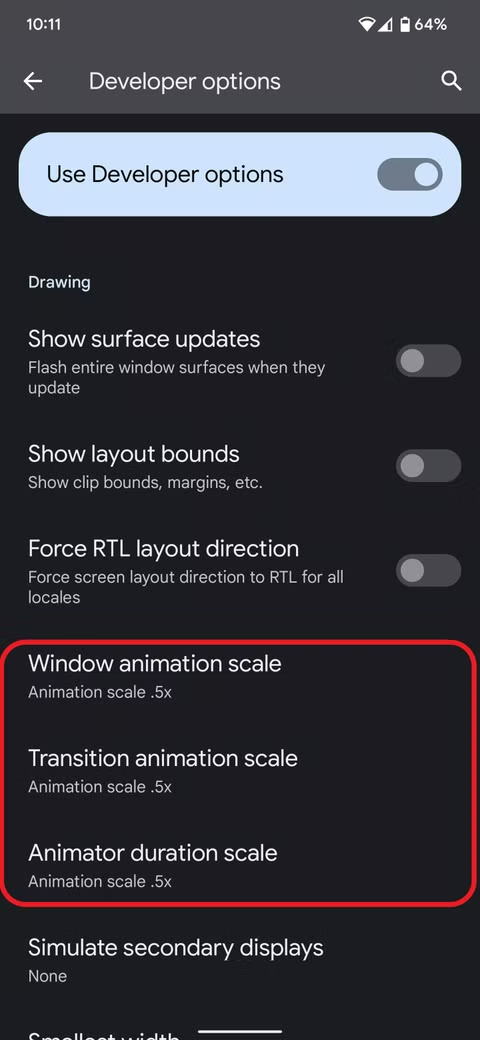
Set a monthly 10-minute maintenance routine. Check your storage and aim to keep at least 15% free. Clear cached data. Review your installed apps and uninstall anything you haven’t used in 30 days. Restart your phone at least once a week to clear temporary files and reset memory allocation. And if you want an instant perceived speed boost, enable Developer Options by tapping Build Number seven times in Settings > About Phone, then set Window Animation Scale, Transition Animation Scale, and Animator Duration Scale to 0.5x. Everything will feel faster without actually changing performance.
FAQ
Why does my Android phone slow down after a few months?
The main causes are storage filling up, cache accumulation, background apps consuming RAM, storage fragmentation, and thermal throttling. These factors compound over time, making the phone feel progressively slower even though the hardware hasn’t changed.
Will a factory reset fix the lag?
Yes, temporarily. A factory reset clears all accumulated junk, corrupted caches, and fragmented data, restoring the phone to its original speed. But if you reinstall the same apps and fill storage again, the lag will return. Use a reset as a last resort, not a permanent solution.
Does clearing cache delete my data?
No. Clearing cache only removes temporary files like images, scripts, and videos apps stored to load faster. Your login credentials, settings, and personal files stay completely intact. The app may load slightly slower the first time after clearing, but that’s it.
How much free storage should I keep?
Aim for at least 10–15% of your total storage to remain free. So on a 128GB phone, keep at least 13–19GB available. When storage gets too full, Android struggles to create temporary files and manage memory, which directly impacts performance.
Why does my phone lag more when it’s hot?
Thermal throttling. When your phone overheats, the CPU automatically reduces its speed to prevent damage. Dust, degraded thermal materials, and blocked ventilation make this happen more frequently as phones age. Keep your phone cool by removing thick cases and avoiding heavy use while charging.
Final Thoughts
Android lag isn’t a mystery, and it’s not always a sign that you need a new phone. In most cases, it’s the gradual accumulation of digital clutter — full storage, bloated caches, greedy background apps, and fragmented data — that turns a snappy device into a frustrating one.
The good news is that most of these problems are reversible. Free up storage. Clear caches. Audit your apps. Give your phone room to breathe. The hardware inside your device is just as capable as the day you bought it. It’s the software environment around it that’s gotten messy.
So before you start shopping for a new phone, do the maintenance. You might be surprised how much life is left in the one you already have.
🎥 Recommended Video
https://www.youtube.com/results?search_query=Android+phone+slow+lagging+fix+storage+cache+2026

No comments:
Post a Comment