
You check your phone and it says 4GB free. More than enough for that app update, right? You hit download, wait a few seconds, and then the message pops up. "Not enough storage." You stare at the screen. The math doesn't add up. Four gigabytes should easily cover a 200MB app. So why is your phone lying to you?
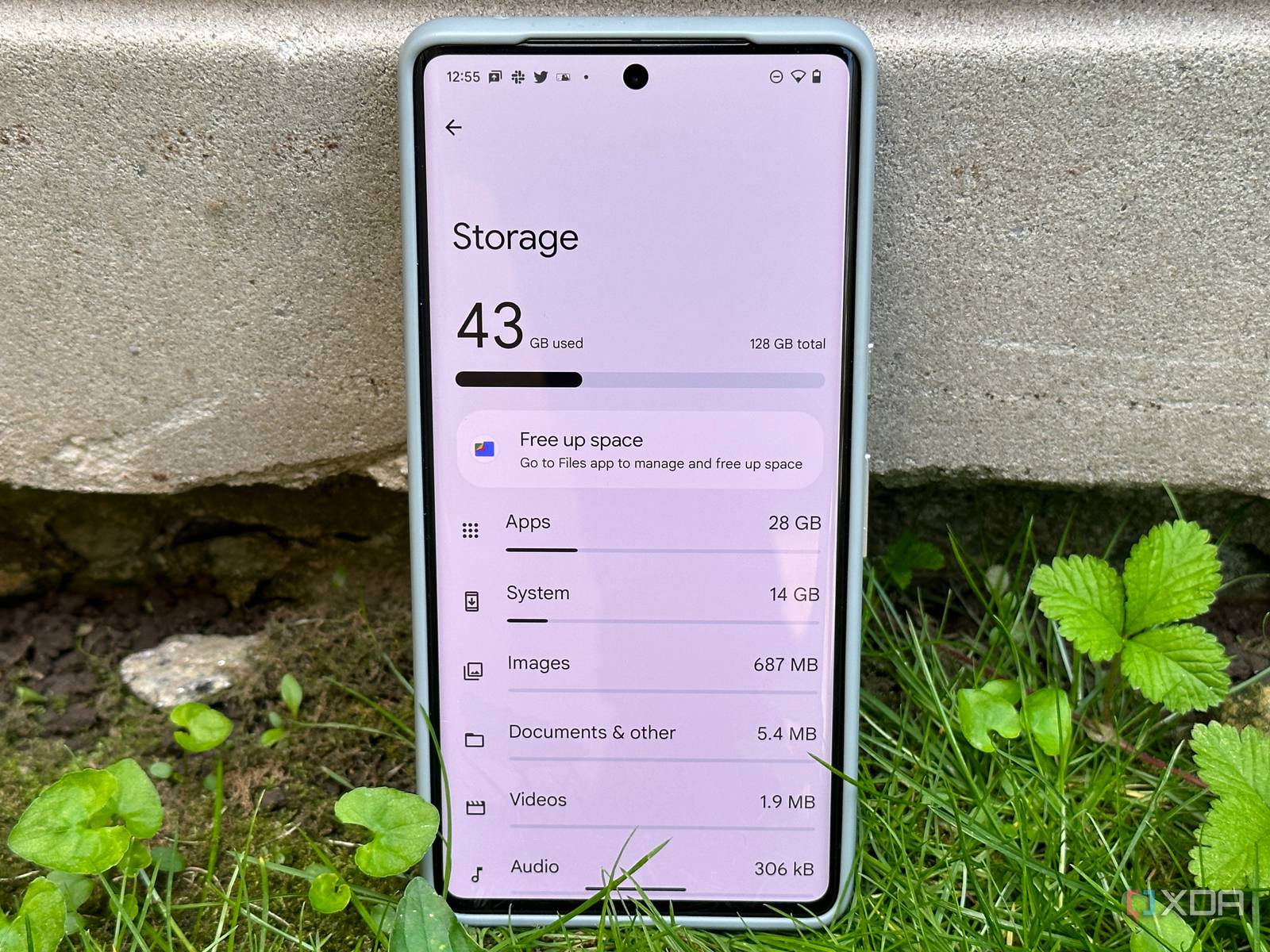
This is one of the most common frustrations in modern smartphone ownership, and the answer isn't that your phone is broken. It's that the storage number you see is only part of the story. Behind that clean, rounded figure is a mess of reserved system space, invisible cache files, cloud sync conflicts, and app packages that are way larger than the App Store claims. Let's unpack what's actually going on.
Your Operating System Hides a Chunk of Space
The first thing to understand is that your phone's operating system needs breathing room. iOS and Android both reserve storage for system processes, virtual memory, and temporary file swapping. On a 128GB iPhone, roughly 8 to 12GB is eaten by the operating system before you ever install a single app. Android varies by manufacturer, but Samsung and Google Pixel devices typically reserve 10 to 15GB for system files and recovery partitions.
That "available" number doesn't account for this overhead in real time. When you try to install something, the system checks whether it can unpack the installer, extract files, and allocate working space during the process. An app listed as 200MB might need 600MB of free space to actually install because the phone needs room to decompress and organize the files. If you're hovering at 4GB, that margin disappears fast.
Cache Files Are the Silent Storage Killers
Then there's the cache problem. Every app you use generates temporary files. Instagram caches images and videos. Spotify stores offline music fragments. Your browser hoards website data. Individually, these are small. Collectively, they can swell to 10, 15, even 20 gigabytes without showing up as "Apps" in your storage breakdown. They often get lumped into vague categories like "Other" or "System Data," which means you can't see them without digging deeper.
On iPhone, this mystery category is called System Data, and it's infamous for ballooning unpredictably. It includes caches, logs, Siri voices, translation models, and update files. On Android, it's usually labeled "Other" or hides under individual app storage menus. Neither operating system makes it easy to clear this stuff without manual hunting.
Photos You Thought You Deleted Are Still There
Photos are another sneaky culprit. You deleted 500 pictures last week and your gallery looks empty. But on iPhone, those photos sit in the Recently Deleted album for 30 days, still consuming full storage space until they auto-purge. On Android, Google Photos might be backing them up to the cloud while keeping local copies in a trash folder you forgot to empty. Your phone thinks you freed up space. In reality, you just moved the files to a different drawer.
Cloud sync conflicts make this worse. If you use iCloud Photos or Google Photos with the "Optimize Storage" setting, your phone keeps thumbnail-sized placeholders while storing full-resolution versions in the cloud. This usually saves space, but if your sync gets stuck, the phone can end up holding both the local original and the cloud copy, doubling the storage hit. A quick toggle of the sync setting off and back on often forces the cleanup to resume.
App Sizes Are Bigger Than the Store Claims
App sizes are also misleading. The number you see in the App Store or Play Store is the download size, not the installed size. Games are the worst offenders. A 2GB download can expand to 8GB once all the textures, levels, and language packs unpack. That 4GB of "free" space you thought you had? Gone in one game install. The store listing rarely warns you about this expansion.
Messages and Updates Eat Space Quietly
Software updates contribute their own hidden bulk. When your phone downloads a system update, it keeps the installer file until the update completes and verifies. If the update fails or gets postponed, that file can sit there for weeks, invisible in your storage menu. iOS users sometimes find 5GB or more tied up in a stranded update package.
Messaging apps are silent storage killers too. WhatsApp, Telegram, and iMessage automatically download every photo, video, and voice note sent to you. Over a year, a busy group chat can accumulate 10GB of media you never asked for. These files hide inside the app itself, so they don't show up in your Photos or Videos categories. You have to open the app and clear its media cache manually.

iPhone Storage Management vs Android
Here's how the two major platforms handle storage confusion.
| Factor | iPhone | Android |
|---|---|---|
| Hidden Cache Location | System Data category | Other or per-app storage |
| Deleted Photos | Recently Deleted album, 30 days | Google Photos trash or Files trash |
| Cache Clearing | Requires offload or reinstall | One-tap cache wipe available |
| Update File Visibility | Hidden in System Data | Sometimes visible in Downloads |
| Storage Tool | iPhone Storage recommendations | Files by Google or device cleaner |
Pros and Cons
Pros
- Reclaim 10 to 30GB with basic cleanup steps
- No need to delete photos or videos you want to keep
- Clearing cache often speeds up sluggish apps
- Built-in phone tools handle most of the work
- Prevents the expense of upgrading to a larger device
Cons
- Neither iOS nor Android makes hidden storage easy to find
- Cache clearing forces apps to reload content slowly at first
- Cloud sync issues can return if settings glitch again
- Some system files cannot be removed without a reset
- The process takes 20 to 40 minutes the first time
Expert Tip
Here's something almost nobody tells you. If your iPhone says it has space but won't download, try this exact sequence. Go to Settings, General, iPhone Storage, and look for the colored bar at the top. If System Data is larger than 15GB, your cache is bloated. The fix is bizarre but effective. Change your date to one year in the future under Settings, General, Date & Time, then restart your phone. Wait two minutes, change the date back to automatic, and check again. iOS flushes temporary caches during that time jump, and I've seen System Data drop by 8GB instantly. It sounds like a prank, but it works because iOS triggers a background cleanup routine when it detects a significant time shift.
On Android, the equivalent trick is simpler. Go to Settings, Storage, and tap Cached Data. One tap clears every app's cache simultaneously. You won't lose logins or saved files. You'll just force apps to rebuild their temporary storage from scratch, which usually trims several gigabytes immediately.
Frequently Asked Questions
Why does my phone say I have space but apps won't install?
Because the available space figure doesn't account for installation overhead, system reserves, and temporary files needed during the download process.
Do deleted photos still take up space?
Yes, on iPhone they stay in Recently Deleted for 30 days. On Android, check your Google Photos trash or Files by Google trash folder.
Why is System Data or Other so huge?
It's mostly app caches, update files, Siri or Google Assistant voice models, and temporary logs that accumulate over months of use.
Will clearing cache delete my saved passwords or photos?
No. Cache is temporary data. Your logins, photos, and app settings remain untouched.
Should I factory reset if nothing else works?
Only as a last resort. A reset fixes everything but costs you hours of setup time. Try cache clearing, trash emptying, and offloading unused apps first.
Final Thoughts
Your phone isn't actually lying to you. It's just giving you a simplified number in a complex system. That 4GB figure represents raw free blocks on the storage chip, not guaranteed installable space. Between system reserves, cache bloat, phantom photos, app expansion, and messaging media, your real usable space is always smaller than the headline number suggests.
The fix is straightforward once you know where to look. Empty your trash albums. Clear your app caches. Check for stranded update files. Audit your messaging apps for hidden media. And remember that app stores show download sizes, not installed sizes. A little housekeeping goes a long way, and you probably don't need a new phone. You just need to evict the digital squatters hiding in your storage.
🎥 Recommended Video
https://www.youtube.com/results?search_query=Phone+Says+Has+Space+But+Wont+Download+Fix

No comments:
Post a Comment